
A hastily filled LinkedIn profile, with a generic title like “Looking for opportunities,” generates almost no inquiries from recruiters or prospects. This is evident in every profile audit: the problem is almost never the candidate’s background, but rather how LinkedIn presents it to search algorithms. Optimizing your LinkedIn profile to boost your career requires understanding what the platform indexes and what it ignores.
B2B LinkedIn Profile: Why the “Online CV” Logic No Longer Works
Most guides recommend filling out each section as one would a paper CV. In a B2B context, this approach misses the mark. A recruiter or decision-maker searching for a profile on LinkedIn types in specific job-related keywords (“Outbound B2B,” “Sales Navigator,” “SaaS account executive”), not vague job titles.
The profile should function like a conversion page aimed at a single interlocutor. The term ICP (Ideal Customer Profile) is sometimes used in sales vocabulary, but the logic also applies to job searching: a profile that speaks to everyone speaks to no one. Before touching any section, identify the type of person you want to attract, then adjust each element of the profile accordingly.
To better understand what this approach concretely changes in a professional journey, a detailed resource on orionb2b on Amplement describes the connection between an optimized profile and a structured prospecting strategy.
LinkedIn Title and Banner: Two Areas Heavily Weighted by the Algorithm
The profile title (the 220 characters under the name) is the most indexed area by LinkedIn’s internal search engine. This is where you place the keywords that your target actually types, not an inspiring slogan. A title like “Business Development Manager – B2B SaaS – Complex Sales Cycles” will be found by a recruiter searching for those exact terms.

The banner serves a different role. It is not indexed by the algorithm, but it affects the click-through rate when the profile appears in a list of results. A banner that reflects sector specialization (a simple visual mentioning the area of expertise, for example) enhances perceived credibility in a fraction of a second.
Here are some elements to check in these two areas:
- The title contains at least two job-related terms that the target would use in a LinkedIn search (e.g. “B2B prospecting,” “growth marketing,” “sales management”)
- The title does not contain empty phrases (“passionate about,” “seeking new challenges”) that consume characters without SEO value
- The banner is high resolution and readable on mobile, where most views occur
- The title and banner are consistent with each other: if the title mentions B2B SaaS, the banner should not show an unrelated mountain landscape
LinkedIn “About” Section: Write for a Busy Reader, Not for Yourself
The “About” section (formerly “Summary”) is read quickly. The first three lines visible before the “see more” button determine whether the visitor continues or leaves the profile. This is where you put the most direct value proposition possible, not a chronological biography.
Specifically, structure this section into three short blocks. The first block (two sentences) answers “who I work for and what problem I solve.” The second (two to three sentences) lists concrete results or mission contexts. The third block is used to place complementary keywords that the title could not absorb.
Feedback varies on this point, but including a link to an OrionB2B profile in the “contact information” section allows recruiters to access completed missions directly, which adds substance to the claims in the summary. This coherence between the LinkedIn profile and an external platform lends more credibility to the journey than a simple list of self-proclaimed skills.
LinkedIn Skills and Recommendations: What Matters in Ranking
LinkedIn uses validated skills as a ranking signal in its search results. Adding skills aligned with the targeted position directly improves visibility. Choose the three main skills carefully, as these are the ones that appear first on the profile.
Regarding recommendations, a recommendation written by a B2B client or direct manager carries more perceived weight than a dozen skill validations by distant contacts. Target two or three people who can describe a concrete result achieved together, not a generic compliment.
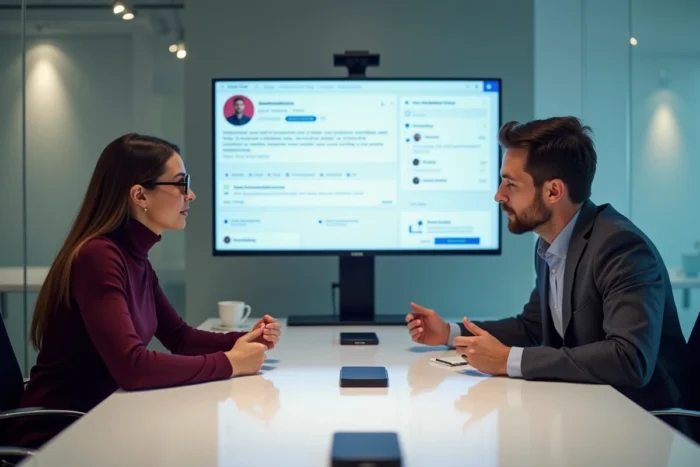
For profiles focused on business development or social selling, the skills to display as a priority are those that recruiters in the sector actively filter for. On B2B profiles, titles like “Outbound B2B,” “Sales Navigator,” or “Account-Based Marketing” generate more appearances in search results than cross-functional skills (“communication,” “project management”).
Profile Then Prospecting: The Order Matters
A common pitfall is starting to send connection requests or prospecting messages before having a solid profile. The ground logic is simple: every person who receives an invitation will check the sender’s profile. An unoptimized profile sabotages contact efforts, regardless of the message sent.
The recommended approach in 2026 for B2B profiles follows a precise sequence: first, optimize the profile (title, banner, about, skills), then roll out a sequence of contextualized messages over two to three weeks. Connection, providing value, follow-up, sharing a resource, closing message. Each step builds on the credibility that the profile has already established.
This connection between profile and social selling sequence is what distinguishes a LinkedIn profile that “exists” from one that produces measurable results. Profile optimization is not an end in itself; it is the foundation without which any networking or prospecting action loses effectiveness.