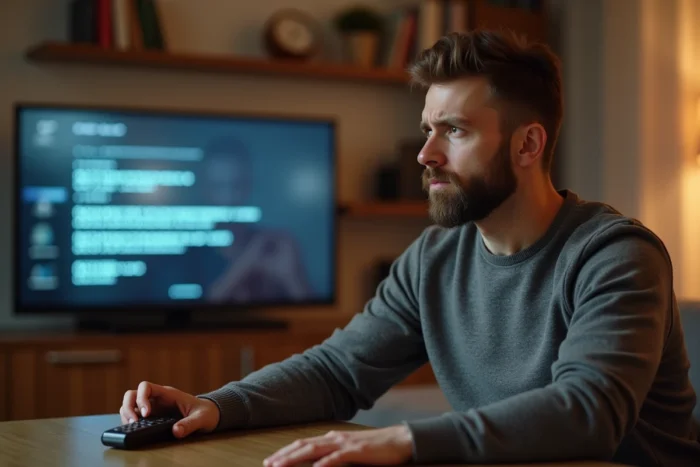
The error code S01-06 on an Orange TV decoder indicates a communication breakdown between the Livebox and the decoder. The television works, the internet connection sometimes does too, but the decoder can no longer reach the box on the local network. Before restarting anything, identifying the faulty link saves time and avoids unnecessary actions.
Quick diagnosis of error code S01-06: Wi-Fi, cable, powerline adapter, or decoder
Most guides immediately suggest restarting the Livebox. The problem is that a restart masks the fault without fixing it when the cause is hardware-related. Locating the failure takes less than two minutes with an elimination method.
The principle is simple: connect the decoder directly to the Livebox using an Ethernet cable, without going through a powerline adapter, a Liveplug, or Wi-Fi. If the error S01-06 disappears, the problem lies with the intermediate link. If it persists, the issue comes from the cable used, an Ethernet port on the Livebox, or the decoder itself.
Knowing what to do about the S01-06 Orange error starts with this direct connection test, which guides the rest of the troubleshooting process.
- The error disappears with direct Ethernet: the powerline adapter, Liveplug, or Wi-Fi is at fault. Test another adapter or change the Wi-Fi band.
- The error persists with a new Ethernet cable: try another Ethernet port on the Livebox. Some ports may be faulty without visible symptoms.
- The error persists regardless of the port or cable: the decoder or the Livebox itself is likely at fault.
This sorting avoids calling technical support for a simple misconfigured powerline adapter or an Ethernet cable with an oxidized connector.
Wi-Fi and powerline adapter: the most common causes of S01-06
The majority of S01-06 error code cases reported on Orange forums involve Wi-Fi or powerline equipment. The TV decoder requires a stable and continuous network flow. An unstable Wi-Fi connection is enough to trigger the error, even if the overall speed remains adequate for browsing the internet.
Wi-Fi: interference and distance
The Wi-Fi signal between the Livebox and the decoder passes through walls, furniture, and appliances. Each obstacle degrades the signal. A running microwave, an aquarium, or a reinforced concrete partition can intermittently cut the connection.
If the decoder is connected via Wi-Fi, check the signal quality in the decoder’s network settings. A weak or fluctuating signal indicates a range problem. Bringing the decoder closer to the Livebox or switching to Ethernet resolves the issue in most situations.
Powerline adapter and Liveplug: lost synchronization
Powerline adapters (or Liveplugs) use the electrical network to transmit data. Their reliability depends on the quality of the electrical circuit in the home. A power strip, an uninterruptible power supply, or an extension cord between the powerline adapter and the wall socket can be enough to break the synchronization.
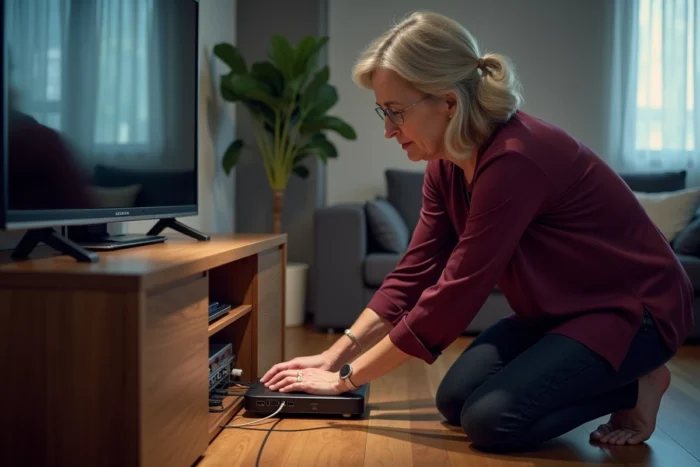
The basic action is to unplug both powerline adapters, wait about ten seconds, then plug them back directly into wall sockets (no power strip). If the synchronization lights do not turn green after a minute, the adapters may be out of service or incompatible with the electrical wiring.
Ethernet cable and Livebox ports: silent failures
An Ethernet cable may seem robust, but a poorly clipped connector, a broken internal wire, or excessive twisting can cause network micro-cuts. The decoder then intermittently loses contact with the Livebox, triggering the S01-06 for no apparent reason.
Replacing the cable with another, even a short one, allows you to validate or rule out this hypothesis in a few seconds. The cables provided with Orange decoders age like any equipment: after several years, a replacement is not unusual.
The Ethernet ports on the Livebox can also be at fault. Liveboxes have several RJ45 sockets. Connecting the decoder to a different port than the one usually used allows you to check if the original port is faulty.
Restarting and resetting the Livebox: when and how
Restarting is still relevant, but after the diagnosis, not before. Turning off the Livebox, waiting about thirty seconds, then turning it back on forces a new network negotiation with all connected devices. If the S01-06 was related to a temporary software bug, this action is sufficient.
The complete reset of the Livebox is a more radical measure. It erases personalized settings (Wi-Fi network name, modified password, port configuration). It is triggered via the reset button located at the back of the box, held down for several seconds. This action is only justified if all previous checks (cable, powerline adapter, port, decoder) have yielded no results.
The distinction between a simple restart and a complete reset is often misunderstood. Restarting keeps all settings. Resetting restores the box to factory configuration, which requires reconfiguring Wi-Fi on all household devices.
When to contact Orange technical support
If the S01-06 error persists after a direct Ethernet test with a new cable on several Livebox ports, the problem lies with the hardware (decoder or Livebox). In this case, Orange technical support can initiate a remote diagnosis and, if necessary, proceed with a hardware exchange.
Before calling, noting the results of each test performed (direct Ethernet, port change, cable replacement, powerline status) speeds up the process. The technical advisor will not have to restart the diagnosis from scratch, which shortens the duration of the call and quickly directs towards the correct solution.
The error code S01-06 almost always indicates a fault that can be located in the physical chain between the Livebox and the decoder. Testing each link one by one remains the most reliable method to regain access to Orange TV without waiting for external intervention.